


Description
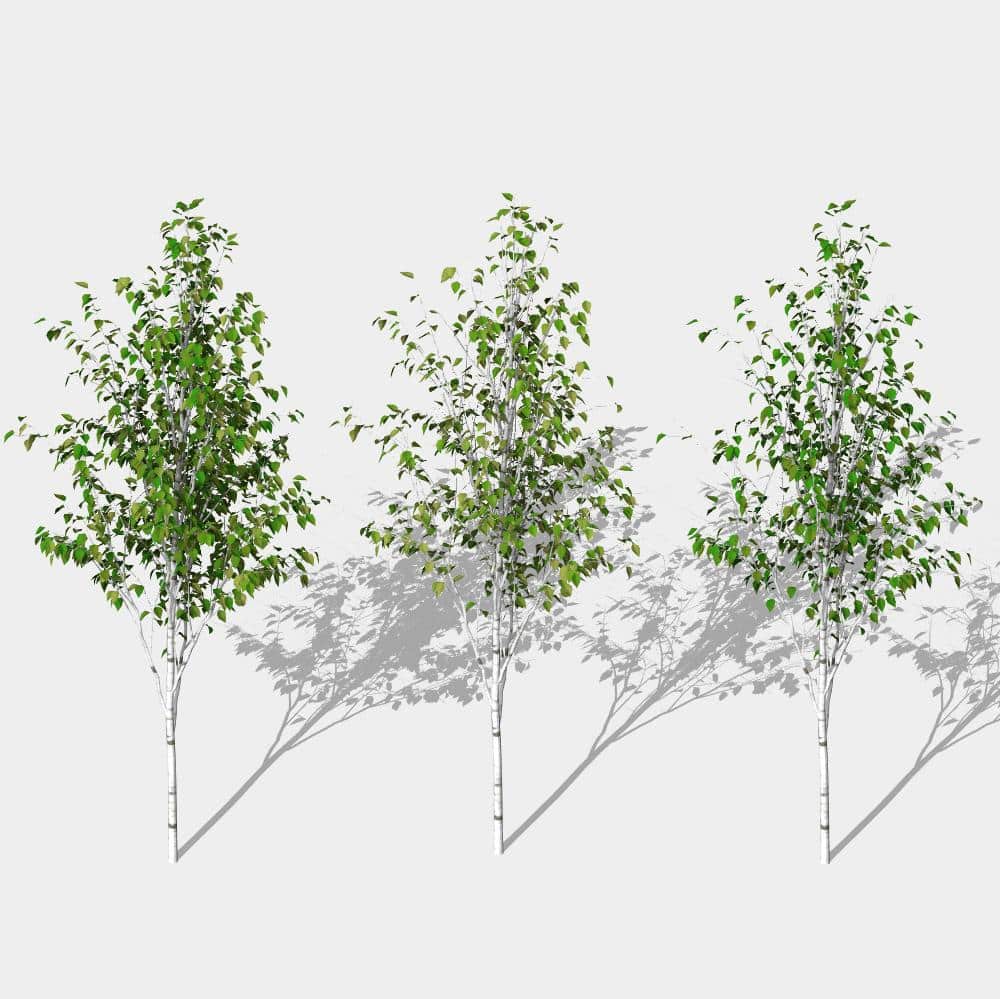
Download this Elder Shrubs Revit Families Pack featuring three distinct shapes of Elder shrub and enhance the realism of your Revit landscape presentations.
The ZIP file includes texture instructions, textures, and three .rfa families representing different Elder shrub forms with detailed foliage. Each family is optimized for performance and visual quality.
Included Family Features:
- Individually scalable by dragging the control handle or entering the desired height directly in the Instance Properties
- 2D customizable Plan Symbol for clean and adjustable graphics in the Revit *Coarse* Detail Level
- 3D organic shrub form with instance materials for conceptual design – visible in all Coarse Detail Level views except Plan
- Instance visibility parameters to easily create variations and duplicates without editing the family
- Automatic placement with Arquitree Populate, ensuring fast and consistent layout
- High-detail foliage for realistic elevations, sections, and renderings
- Optional Enscape placeholder mode for improved performance in large scenes
Perfect for landscape architecture, residential gardens, ecological modeling, and naturalistic planting designs.
Elder or Sambucus nigra
commonly known as European elder or black elderberry, is a deciduous shrub or small tree known for its ornamental foliage, fragrant flowers, and dark, edible berries.
Key Characteristics:
Height/Spread: Typically 8–20 feet tall and wide, depending on pruning and variety.
Foliage: Pinnately compound leaves; cultivars like ‘Black Lace’ and ‘Black Beauty’ have finely cut, deep purple to almost black foliage.
Flowers: Creamy white, fragrant flat-topped clusters (umbels) appear in late spring to early summer.
Berries: Small, glossy black to purple berries form in late summer; used for syrups, jams, wine, and medicinal preparations.
Light: Full sun to partial shade.
Soil: Moist, well-drained soil; tolerates a range of conditions.
Hardiness Zones: USDA zones 4–7.
Benefits and Uses:
Edible Uses: Flowers and cooked berries are edible (raw berries can be toxic in large quantities).
Wildlife: Attracts birds, pollinators, and beneficial insects.
Ornamental Value: Striking foliage and flowers; can serve as a focal point or in hedgerows.
These Revit shrub families are higher in file-size than our regular families. Thanks to our Clean Construction Methods we can guarantee they work smoothly on regular systems.
Learn more about Enscape compatibility
Check Autodesk Revit system requirements
Scalable Revit Planting Families
The Arquitree Vegetation 3D Models can be scaled by 2 methods: you can either drag the control handle of the asset in plans, elevations or sections, or you can simply enter your desired height in the instance properties. Being an instance parameter, this method allows you to create several copies with different heights!

Revit Leaves Visibility Controls
Activate or deactivate leaves with simple instance visibility parameters. One single Revit family, 3 variations in form. Create Diversity in your Architectural, Urban or Landscape Projects!
Revit Detail Levels
When switching through the Revit Detail Levels the following shapes are displayed:
- Coarse Detail Level: an organic shape as the crown, with Instance Parameters that allow you to create duplicates with different Materials. Apply Planting Category Overrides to color just the crowns of all the Vegetation Models.
- Medium Detail Level: displays just the trunks of the Planting Families.
- Fine Detail Level: get Realistic, full-detailed 3D Models of your trees, plants, shrubs or hedges.


Scalable Revit Families
The Arquitree Vegetation 3D Models can be scaled by 2 methods: you can either drag the control handle of the asset in plans, elevations or sections, or you can simply enter your desired height in the instance properties. Being an instance parameter, this method allows you to create several copies with different heights!

Automatic Placement
Using the Arquitree Populate Dynamo Scripts allows you to place various Revit categories like: plants, trees, hedges, shrubs, cars, humans, figures or people automatically! Arquitree Populate is a Free Dynamo Package and can be downloaded directly from Revit.

Revit Detail Levels
2 or 3 Revit Shapes that display according to your needs. The Coarse Detail Level Graphics allow you to work on big Projects with normal System Requirements. Change from Conceptual to Realistic Presentations with one click!

Visibility parameters
Our Team at Arquitree knows how important diverse Presentations are for your BIM projects. That is why most of our Revit families have visibility parameters. This allows you to customize your assets, but also create diversity.

Revit 2D Planting Symbol
In the Revit Coarse Detail Level these Planting Families show a clean, stylized 2D symbol that scales with the 3D Model . The colors and lines are customizable and accept overrides. Bring color to your Architecture and Landscape Projects!

Conceptual Organic Shape
In the Revit Coarse Detail Level these Planting Families show a Conceptual Form as the Crown. It accepts Category Overrides while the Trunk doesn’t. This allows you to apply color to the all Planting Crowns, keeping the Trunks in the original colors, with just a few clicks. You can also apply Overrides on individual Blocks or simply create duplicates with different colors by changing the Instance Material Parameter. Keep your Conceptual and Detailed Projects synchronized!
📄Product Name: arquishrubpack06
📐 File Type: Revit Scalable Family
✏️ Best for: Architecture, Urban and Landscape Design
⚖️ Small to Large Projects
📥 Digital download: Instant (ZIP file)
💾 Revit version: 2017 & above
📂 Category: Revit Planting Category
📦 ZIP Download File-size: 31.1 MB


Reviews
There are no reviews yet.